Why Your Online Store Is Getting Visitors but Not Enough Orders and How to Fix It
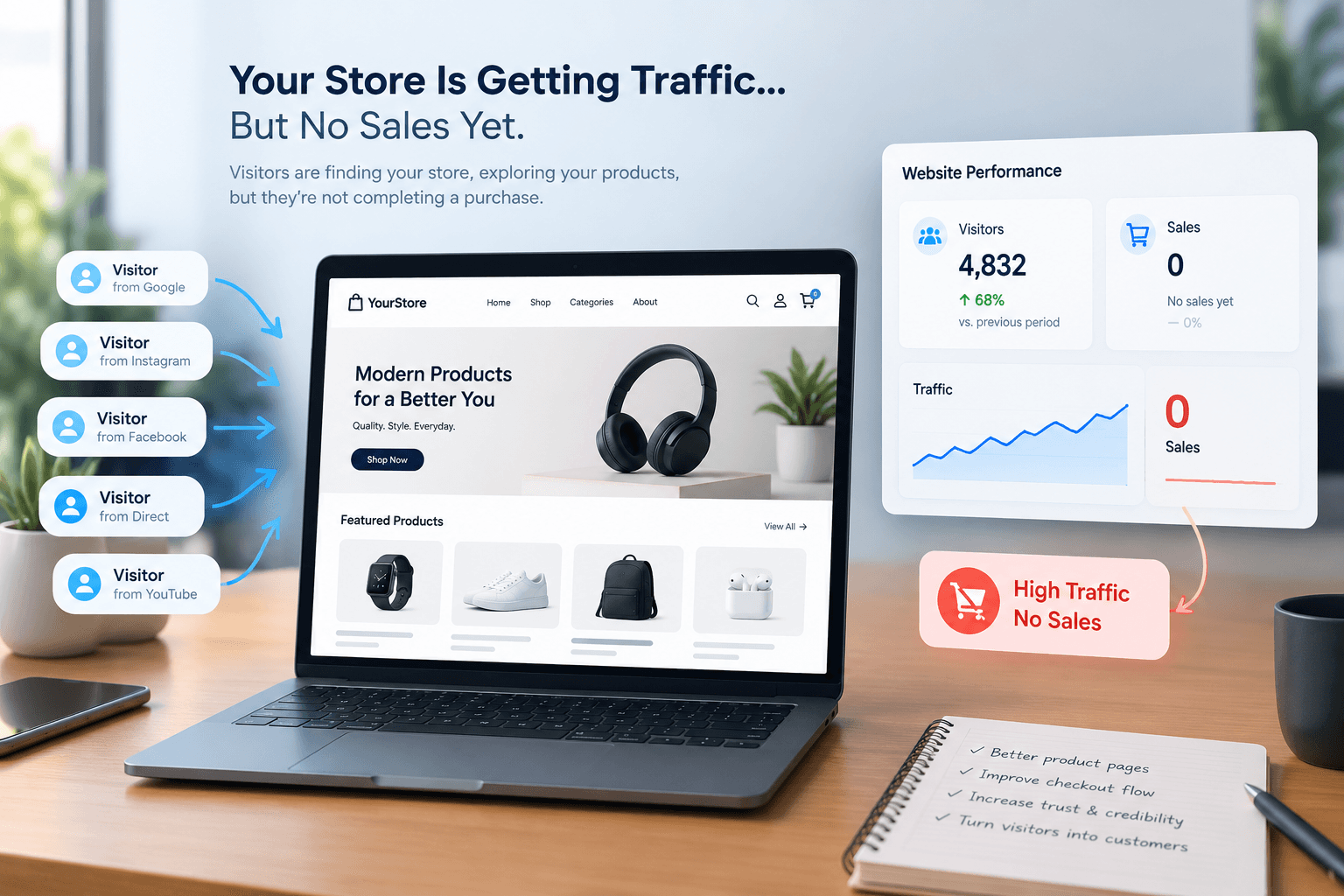
Your store has traffic, but orders aren’t keeping pace. This guide shows how to find where shoppers leave, fix the eight most common causes, and prioritize changes by impact and effort.
Few things frustrate a store owner more than a busy analytics dashboard sitting next to a quiet order inbox. The ads are running, the traffic is steady, and the sessions look healthy. The sales don’t follow.
The instinct is usually to buy more traffic. That often makes the problem more expensive instead of fixing it. If a leaky store loses most of the people who arrive, more visitors just means more people leaving.
This guide walks through how to diagnose where your store is losing buyers and what to change first. The fixes apply whether you run Shopify, WooCommerce, Webflow, or a custom build.
Start With the Right Diagnosis
“Traffic but no sales” can mean three different things, and each needs a different fix.
| What you see | Likely cause | Where to look first |
|---|---|---|
| High bounce rate, very short sessions | Wrong audience, mismatched ad or search promise, slow landing pages | Traffic sources, landing page speed, ad-to-page match |
| Good product page views, few add-to-carts | Weak product pages, price or trust concerns, unclear shipping | Product page content, reviews, delivery information |
| Many add-to-carts, few completed orders | Checkout friction, surprise costs, limited payment options | Checkout steps, total cost reveal, payment methods |
Your conversion rate is simply orders divided by sessions. It is a useful signal, but only when you break it down by traffic source, device, and new versus returning visitors. A blended average hides the real story. A store can convert well on desktop and poorly on mobile, or well from email and poorly from paid social, and the overall number will look “fine.”
Keep in mind that many visitors were never going to buy that day. Baymard Institute’s research found that most US shoppers who had abandoned a cart in the previous three months said they were “just browsing” or not ready to buy. So the goal is not a 100% conversion rate. It is to remove avoidable reasons for leaving.
Find Where Shoppers Drop Off
Before changing anything, map the funnel. In Google Analytics 4 (or your platform’s analytics), look at each stage separately:
| Funnel stage | What to measure | What a big drop suggests |
|---|---|---|
| Landing | Engagement rate by source and device | Traffic mismatch, slow load, unclear value |
| Product view | Product page views per session | Poor navigation or weak category pages |
| Add to cart | Add-to-cart rate | Product page content, price, trust, stock or size issues |
| Begin checkout | Cart-to-checkout rate | Shipping or total cost shock, cart page friction |
| Purchase | Checkout completion rate | Forced accounts, payment problems, form errors |
Then add qualitative evidence. Numbers show where people leave, but not why. Three low-cost methods help:
- Session recordings and heatmaps show rage clicks, ignored buttons, and form fields that trip people up.
- On-site or post-purchase surveys with one open question, such as “What almost stopped you from buying today?”, surface objections you wouldn’t guess.
- Customer support logs reveal repeated questions about sizing, delivery, returns, or payment. Each repeated question is a gap in your pages.
Always check the funnel on a real phone, on a mid-range device, over a normal mobile connection. Many stores are built and reviewed on fast desktops and never tested the way most customers actually shop.
Eight Common Reasons Stores Lose Orders
Traffic That Is Not Ready to Buy
If your bounce rate is high and sessions are short, the issue may be upstream. Common patterns include:
- Broad keywords that attract researchers, not buyers
- Ads promising a price, offer, or product that the landing page doesn’t deliver
- Social traffic landing on the homepage instead of a specific product or collection
- Visitors from regions you don’t ship to
How to fix it: Send each campaign to the most relevant page, not the homepage. Match ad copy to what the page shows. Compare conversion by source and pause or restructure the segments that bring clicks but never orders. Make shipping regions clear before the click where possible, and in your ad targeting where your platform allows it.
Slow or Unstable Mobile Pages
Speed affects both search visibility and buying behaviour. Google’s Core Web Vitals give you concrete targets, measured at the 75th percentile of real visits:
| Metric | What it measures | “Good” threshold |
|---|---|---|
| Largest Contentful Paint (LCP) | Loading speed of the main content | 2.5 seconds or less |
| Interaction to Next Paint (INP) | Responsiveness to taps and clicks | 200 milliseconds or less |
| Cumulative Layout Shift (CLS) | Visual stability | 0.1 or less |
Typical culprits in online stores are oversized hero images, too many apps or scripts, chat widgets and pop-ups loading early, and elements that shift as the page loads, causing mis-taps on mobile.
How to fix it:
- Check real-user data in Google Search Console’s Core Web Vitals report and in PageSpeed Insights, not just lab scores.
- Compress and correctly size images, and don’t lazy-load the main product image.
- Audit third-party apps and scripts. Remove what you don’t actively use.
- Set explicit dimensions on images and embeds to prevent layout shift.
- Delay non-essential widgets until after the shopper has interacted with the page.
Core Web Vitals alone won’t make a weak offer sell. But a slow, jumpy store makes every other problem worse.
Product Pages That Leave Questions Unanswered
The product page is where interest becomes intent. Shoppers who can’t quickly answer their questions will leave to find the answers elsewhere, often from a competitor.
A strong product page usually covers:
- Clear images from several angles, in context, and at scale (a hand, a room, a body)
- A specific title and benefit-led description that says who the product is for and what it does
- Key details up front: size, materials, compatibility, care, and what’s included
- Price, stock status, and delivery estimate without needing to start checkout
- Genuine reviews and Q&A, including critical ones, which make positive reviews more believable
- A visible, unambiguous add-to-cart button that stays easy to reach on mobile
Review your support questions and rewrite the top ten product pages to answer them directly. Also consider Product structured data, which can make your pages eligible for richer search results showing details such as price, availability, and shipping and return information. Google documents the requirements in its Search Central guidelines, and eligibility is not a guarantee of display.
Trust Gaps
Shoppers are being asked to share payment details with a business they may have discovered minutes ago. Baymard’s checkout research found that about a quarter of US shoppers who abandoned a cart did so because they didn’t trust the site with their credit card information.
Trust is built from many small signals:
- A clear “About” page with real contact details and a physical or registered business address where applicable
- Transparent return, refund, and privacy policies in plain language
- Recognized payment methods and secure checkout (HTTPS everywhere, no browser warnings)
- Authentic reviews and photos from real customers
- Fast, visible support options
Use only trust badges and claims you can substantiate. Fake or exaggerated badges can damage credibility more than having none.
Surprise Costs and Unclear Delivery
Unexpected extra costs are consistently the leading reason shoppers give for leaving during checkout. In Baymard’s recent surveys, roughly half of those who abandoned (excluding people who were just browsing) cited shipping, taxes, or fees: 47% in the 2023 survey and 48% in other published summaries of its research.
For global stores, this problem is magnified by duties, import taxes, brokerage fees, and currency confusion. Shoppers don’t like discovering these at the last step.
How to fix it:
- Show estimated shipping and delivery dates on the product page or cart, before checkout begins.
- State clearly whether prices include tax and whether duties are prepaid or collected on delivery.
- Display prices in the shopper’s local currency where practical.
- If you offer free shipping above a threshold, show progress toward it in the cart.
- Make your returns policy easy to find and easy to understand.
Checkout Friction
Checkout is where intent meets effort, and every unnecessary step costs you orders. Baymard reports that about 26% of abandoning US shoppers left because the site wanted them to create an account, and 22% because the checkout was too long or complicated. Baymard also estimates that the average large ecommerce site could gain around 35% in conversion rate through better checkout design alone, though that is a modelled estimate for large sites and your results will vary.
Checkout fixes to evaluate:
- Offer guest checkout. Invite account creation after purchase instead.
- Cut form fields. Ask only for what you need to fulfil the order. Use address autocomplete.
- Offer the payment methods your customers actually use. Digital wallets are especially helpful on mobile. Check local preferences in each market you serve.
- Show a clear order summary with totals at every step.
- Write useful error messages that say what’s wrong and keep entered data intact.
- Keep distractions out. Remove unnecessary navigation and promotions from checkout pages.
Test the full flow on mobile, including autofill, keyboard types for each field, and payment wallet pop-ups.
Weak Search and Navigation
Shoppers who know what they want often use site search first. If it returns nothing or irrelevant results, many won’t try again.
Review your zero-result searches and add products, synonyms, or content to cover them.
Make search forgiving of typos and alternate terms (for example, “sneakers” versus “trainers”).
Use filters that match how people decide (size, price, use, compatibility), not just how you organize inventory.
Keep category names plain and consistent.
No Follow-Up for Shoppers Who Leave
Not every sale happens on the first visit. Reasonable follow-up can recover some of them: cart reminder emails, back-in-stock alerts, and wish list reminders.
Follow-up must respect the rules where your customers live. Canada’s anti-spam law (CASL), the EU’s GDPR, and the US CAN-SPAM Act all have requirements around consent, identification, and unsubscribing, and they differ. Get consent properly, include a clear unsubscribe, and have your legal adviser confirm the rules for your markets. Keep messages helpful and honest, not pushy or deceptively urgent.
Prioritize Fixes Before You Build Anything
You won’t fix everything at once, and you shouldn’t try. Score each idea on three questions: How much revenue could this affect? How confident are you that it’s a real problem? How much effort does it take?
Here is an illustrative example of how this might look. The scores are examples, not benchmarks.
| Idea | Impact (1–5) | Confidence (1–5) | Effort (1–5, low is easy) | Priority |
|---|---|---|---|---|
| Show shipping cost and delivery date on product pages | 4 | 4 | 2 | High |
| Add guest checkout | 4 | 5 | 2 | High |
| Remove three unused apps slowing mobile | 3 | 4 | 1 | High |
| Rewrite top 10 product pages from support questions | 4 | 3 | 3 | Medium |
| Rebuild the entire theme | 3 | 2 | 5 | Low, until evidence supports it |
A simple illustration of why small improvements matter: if a store gets 10,000 sessions a month at a 1.5% conversion rate, that’s 150 orders. Moving to 1.8% would mean 180 orders from the same traffic, a 20% increase. That is arithmetic, not a forecast. Real results depend on your products, audience, and the quality of the changes.
Start with fixes that are fast, evidence-backed, and reversible. Save larger rebuilds for when your data shows the platform itself is the limit.
Test Changes Without Fooling Yourself
Changes should be measured, but good testing takes discipline, especially for smaller stores.
Change one meaningful thing at a time where you can, and record the date and the change.
Don’t run an A/B test on a page with too little traffic. Results will be noise. Use before-and-after comparison with caution, and favour obvious usability fixes that don’t need proof.
Account for seasonality and campaigns. A sale week will distort any comparison.
Look at revenue per visitor and average order value, not only conversion rate. A change that lifts conversions by cutting your margins isn’t a win.
Segment by device. A “win” on desktop might hurt mobile.
When Your Platform Is the Bottleneck
Most conversion problems can be improved within your current platform. Sometimes, though, the limit is structural, for example:
Pages that stay slow after you’ve removed unnecessary apps and optimized assets
Checkout rules or payment flows you can’t customize to your market
Inventory, shipping, or ERP systems that don’t connect cleanly, leading to stock errors and order delays
A theme or page builder so heavily patched that every change breaks something
In those cases, a deeper technical review makes sense. That might mean custom development, a headless architecture, or workflow automation to connect your tools. These are bigger investments, so confirm with data that the platform is the cause before committing.
If you’d like an outside perspective on where your store is losing orders, MA Digital Solution offers a free website audit that can help you spot performance, usability, and conversion issues worth fixing first.
Frequently Asked Questions
What is a good ecommerce conversion rate?
It depends heavily on your industry, price point, device mix, traffic sources, and whether shoppers are new or returning. Instead of chasing a generic benchmark, compare your store against its own history and segments, such as mobile versus desktop and paid versus organic.
Why do people add to cart but not buy?
Common causes are unexpected shipping or tax costs, forced account creation, long or confusing checkout forms, limited payment options, and low trust. Some are also just browsing or comparing prices, which you can’t fully eliminate.
Is slow site speed really hurting my sales?
Slow, unstable pages frustrate shoppers and can reduce completions, especially on mobile. Check your real-user Core Web Vitals in Search Console and PageSpeed Insights. Speed rarely fixes everything alone, but it is a foundation worth getting right.
Should I get more traffic or improve conversion first?
Usually fix the biggest leaks first, then scale traffic. If your funnel loses most buyers at checkout, additional traffic just adds cost. If conversion is healthy but traffic is low, growth in qualified traffic makes more sense.
How long does it take to see results from conversion improvements?
Quick wins, such as clearer shipping information or removing slow scripts, can show effects within weeks. Larger changes take longer to measure, and results aren’t guaranteed. Allow enough traffic and time to see a reliable pattern.
Do I need a developer, or can I make these changes myself?
Content, shipping messaging, product page copy, and app clean-up can often be handled in-house. Checkout customization, performance engineering, integrations, and custom features usually benefit from a developer.
Does Shopify, WooCommerce, or custom development convert better?
No platform converts better by default. Results depend on your product, offer, page design, speed, checkout setup, and how well the store is maintained. Choose based on your business requirements, integrations, and team capacity.
Are trust badges and pop-ups worth using?
Genuine trust signals such as clear policies, real reviews, and secure payment options help. Badges you can’t back up, and aggressive pop-ups that interrupt the buying journey, can hurt. Test carefully and use them sparingly.
Conclusion
A store with traffic but few orders rarely has one big problem. More often it has several small ones: traffic that isn’t ready to buy, a slow mobile experience, product pages that leave questions open, unexpected costs, and a checkout that asks for too much.
The path forward is simple, if not always easy. Find where shoppers leave, learn why using both data and real feedback, fix the highest-impact issues first, and measure carefully. Keep what works and drop what doesn’t.
If you’d rather not work through it alone, book a free consultation with MA Digital Solution to discuss your store, your goals, and where improvements might make the biggest difference.
Free consultation
Ready to turn this into a plan?
MA Digital Solution can shape the ideas in this article into a website, app, or campaign. Book a free consultation and we will map the next step with you.
Book A Free ConsultationLoading comments…